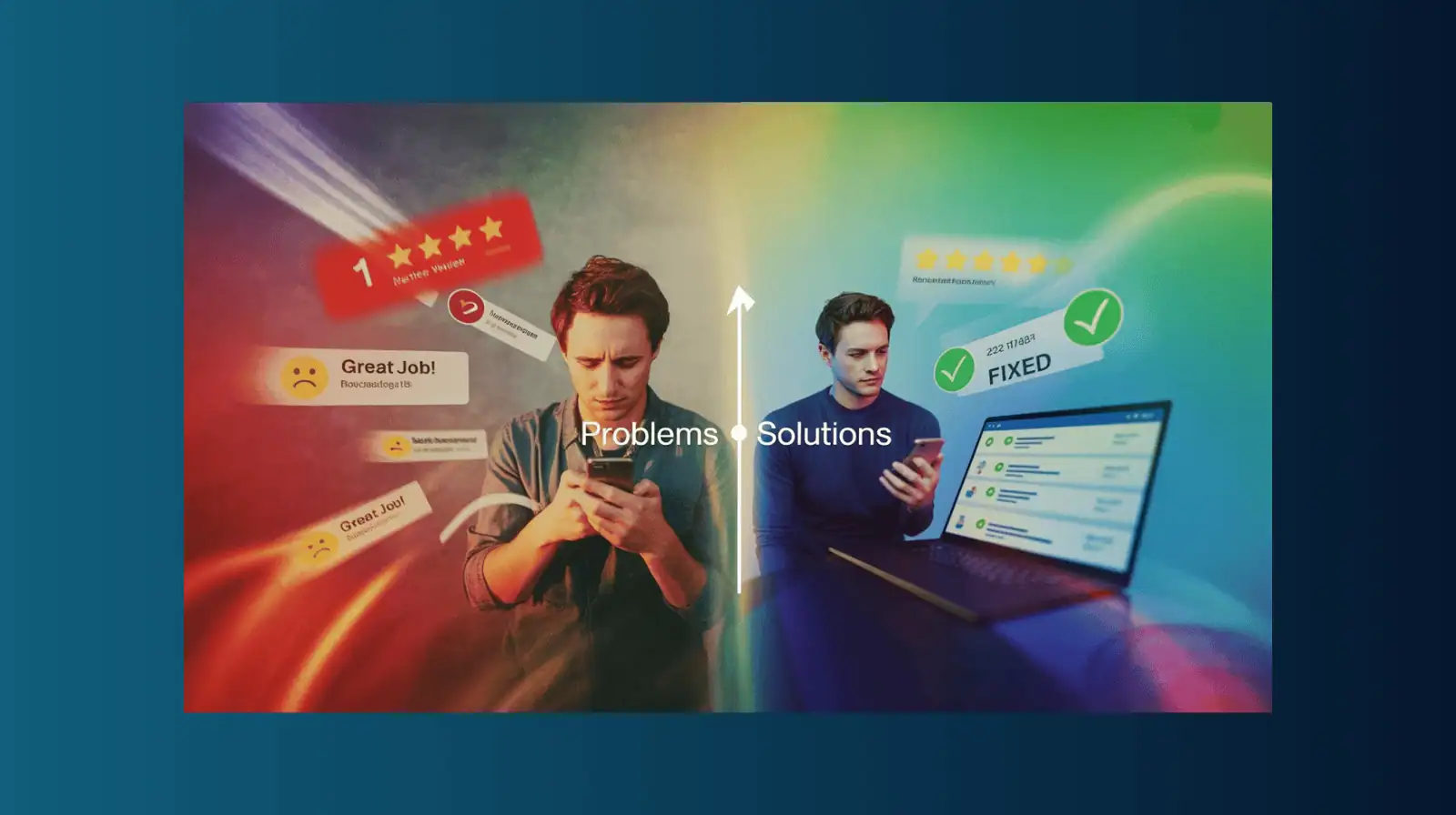
Your Complete Guide to Building a Review Engine That Turns Customer Feedback Into Local Leads
Reading time: 15-18 minutes
Stop chasing perfect 5.0 ratings. Start building a repeatable system that turns customer reviews into search visibility, qualified leads, and booked consultations.
TLDR
Review Automation vs. Manual — What Actually Works?
The Short Answer: Both work, but automation wins on consistency. Manual requests generate 1-3 reviews/month with perfect discipline; automation generates 3-8 reviews/month by eliminating the "remembering" problem. The tool matters less than your system, but automation makes the system easier to maintain.
What You'll Learn in This Guide:
- Real costs compared: DIY (8-12 hrs setup, 2-3 hrs/week, $0-50/mo) vs. Automation (1-2 hrs setup, 30 min/week, starting at $1,650/mo included in our growth programs)
- Platform comparison: Honest breakdown of Pepper Studio Pro vs. BirdEye vs. Podium vs. Grade.us vs. DIY spreadsheets
- 5 optimal request moments: When to ask for maximum response rates (post-walkthrough, after repairs, first maintenance, etc.)
- Response strategies: How to reply to 5-star, 4-star, and 3-star reviews to boost credibility and local SEO
- 6 real problems solved: Brutal 1-star reviews, customers who don't follow through, generic reviews, fake competitor reviews, feeling pushy, and declining ratings
- ROI reality check: One $15K project from better local visibility pays for a full year of automation
Critical Mistakes That Kill Review Systems:
- Asking too frequently (feels like spam)
- Only responding to 5-star reviews (signals you ignore problems)
- Incentivizing reviews (violates Google policy, risks losing ALL reviews)
- Asking before work is actually complete (gets mid-project feedback, not results)
- Generic robot responses (prospects see copy-paste and assume you're impersonal)
Which Approach Is Right for You?
- Revenue under $500K: Start manual using our templates to test what works, then automate when it proves ROI
- Revenue $500K-$3M: Automation pays for itself quickly, scale review generation without adding staff hours
- Want it done for you: Our Growth Kit and Accelerator programs include complete setup, integration, and ongoing management
In This Article
- Why Your Review Strategy Matters More Than Ever
The Review Engine: Four Connected Steps
Step 1: REQUEST — Ask at the Right Moments
Step 2: RESPOND — Build Credibility & SEO in 48 Hours
Step 3: REPURPOSE — Turn Reviews Into Marketing Assets
Step 4: RANK — Convert Reviews Into Local SEO Power
What Does a Review Engine Really Cost?
Review Management Platforms: Honest Comparison
When Your Review Engine Hits Real Problems
5 Signs Your Review Strategy Is Actually Hurting You
Common Review Strategy Mistakes (Quick Reference) - FAQs
Why Your Review Strategy Matters More Than Ever
When homeowners compare three local pool or landscape contractors, they look at two things first:
- Recent project photos showing actual work
- Fresh, detailed reviews from real customers
Here's what most contractors miss: If your reviews don't mention what you do or where you do it, Google can't connect your business to those searches.
The consequences:
- No mentions of "tile repair in Annapolis"? No visibility when homeowners search for that service in that city.
- Reviews that say "great job" without mentioning pool remodels or landscape maintenance? You're invisible for those specific services.
- Generic praise without location context? You lose local search advantage to competitors with more specific reviews.
The solution isn't complicated, it's a systematic approach that turns every completed project into a search signal and marketing asset.
The Review Engine: Four Connected Steps
This framework creates momentum that compounds over time:
Request → Ask at optimal moments when customers want to share
Respond → Reply strategically to boost credibility and local SEO
Repurpose → Turn reviews into assets across all marketing channels
Rank → Let Google connect your reviews to local search intent
Let's break down each step with specific tactics you can implement this week.
Step 1: REQUEST — Ask at the Right Moments
Most contractors either forget to ask for reviews or ask at the wrong time. The key is identifying natural moments when customers are most satisfied and willing to share.
Five High-Response Request Moments:
1. Post-Installation Walkthrough (Pool Builders/Remodelers) The project is complete, the customer sees the finished result, and emotions are positive. Strike while excitement is high.
2. First Maintenance Visit (Service Companies) You've shown up on time, solved their problem, and demonstrated ongoing reliability. Perfect time to request feedback.
3. After Successful Repair Equipment is running smoothly again, stress is relieved, and gratitude is genuine. Capitalize on that relief.
4. Design Consultation Wrap-Up Even if they don't book immediately, a positive consultation experience can generate a review about your professionalism and expertise.
5. Issue Resolution Moment When you've gone above and beyond to fix a problem, customers often want to acknowledge your responsiveness and solution-focused approach.
Copy-Ready Request Scripts:
Text Message (From Tech in Field): "Thanks for trusting us with your [pool opening/landscape installation] in [Atlanta]. Would you mind sharing a quick Google review? It helps neighbors find us: [shortlink]"
Email (From Office): Subject: Quick favor, would you share your experience?
"If we earned 5 stars on your [project type], would you mention the specific service and your city in your review? It helps other homeowners in [area] choose confidently.
[Review link]
Thanks for your time!"
Physical Card with QR Code: "How did we do today? Your review helps local homeowners hire with confidence.
[QR Code] → Scan to share your experience"
Implementation Tips:
- Add review request links to completion checklists and final invoices
- Train techs to ask on-site when appropriate (with link ready to text)
- Set calendar reminders for 2-3 days post-completion as backup timing
- Make it easy, use shortened, branded URLs for Google Business Profile reviews
- Automate the process: Pepper Studio Pro can trigger review requests automatically based on project completion or appointment types
Step 2: RESPOND — Build Credibility & SEO in 48 Hours
Response strategy accomplishes two goals: it shows prospects you're engaged and attentive, and it adds local SEO value by reinforcing service and location keywords.
Response Templates by Rating:
5-Star Review (Pool Builder/Remodeler): "Thanks, [Name]! We're glad the [pool remodel/outdoor kitchen install] came together smoothly in [Frisco]. The crew will appreciate hearing this. Enjoy your new space!"
5-Star Review (Service Company): "Appreciate it, [Name]. Happy the [equipment repair/seasonal maintenance] is taken care of in [McKinney]. Text us anytime if you need anything."
4-Star Review (Request Clarification): "Thanks for the honest feedback, [Name]. If there's anything we could have done better with the [service type], please let us know. We want every project to be a 5-star experience."
3-Star Review (Recovery Mode): "[Name], thank you for bringing this to our attention. We've [specific action taken to address the issue]. I'll call you today to make sure everything meets your expectations going forward."
Response Best Practices:
Timing: Respond within 48 hours maximum (24 hours is better)
Specificity: Always mention the service type and city when natural
Authenticity: Sign with a real name, not "The Team" or company name only
Tone: Professional but conversational, sound like a real person who cares
Ownership: Assign one person to monitor and respond (usually office manager or owner)
Frequency: Block 10 minutes twice daily to check and respond to new reviews
Automation advantage: Pepper Studio Pro sends notifications when new reviews arrive and can pre-populate response templates based on rating and service type, making the process faster and more consistent.
Why This Matters:
Google reads your responses. When you consistently mention "pool opening in Annapolis" or "landscape design in New Milford," you're reinforcing topical relevance that feeds into local search algorithms.
Prospects also read responses to gauge how you handle feedback, both positive and negative.
Step 3: REPURPOSE — Turn Reviews Into Marketing Assets
Most contractors collect great reviews and then let them sit unused on their Google Business Profile. Your best reviews should work across every customer touchpoint.
Build Your Review Library (20-Minute Project):
Create a simple spreadsheet with these columns:
- Quote (shortened to 15-25 words)
- Customer Name (first name or initials)
- Project Type (pool remodel, weekly service, landscape design, etc.)
- City/Area
- Service Category
- Date Received
- Platform (Google, Facebook, etc.)
- Direct Link
Start by pulling your top 15 reviews from the past 6 months. Focus on reviews that mention specific services and locations.
Pro Tip: If you're using Pepper Studio Pro, your review library can sync automatically, pulling reviews from Google Business Profile and organizing them by service type and location—no manual spreadsheet management required.
Strategic Placement Across Channels:
Website Integration:
- Homepage: Feature 2-3 rotating testimonials with service and city tags
- Service Pages: Match reviews to relevant services (pool opening page gets opening reviews)
- City Pages: Use location-specific reviews on corresponding location pages
- About Page: Highlight reviews that mention your team, process, or customer service
Proposal Documents: Include 2-3 testimonials that match the prospect's project type and location. If you're bidding a Charlotte pool remodel, show Charlotte pool remodel reviews.
Google Business Profile Posts: Weekly posts can feature a customer quote paired with a project photo. This keeps your profile active and showcases social proof.
Email Nurture Sequences: Day 5 of your follow-up sequence should include social proof, reviews that mention crew quality, timeliness, or results in nearby cities.
Social Media Content: Pair before/after project photos with customer quotes. Tag the service type and location in your caption for consistency.
Formatting Tips for Maximum Impact:
Keep quotes concise
15-25 words is the sweet spot for readability
Add visual tags
Use icons or badges to highlight service type and location
Use real photos
Pair reviews with actual project images, never stock photography
Update quarterly
Refresh your review library every 3 months to keep content current
Step 4: RANK — Convert Reviews Into Local SEO Power
Google doesn't just display reviews, it reads them, analyzes them, and uses them to understand your business better.
How Google Uses Review Data:
Service Understanding: Reviews that mention "pool remodel," "weekly maintenance," or "landscape design" help Google categorize your offerings.
Location Signals: When reviews mention cities, neighborhoods, or landmarks, Google strengthens your association with those areas.
Quality Assessment: Recency, response rate, sentiment, and detail all factor into how Google evaluates your business prominence.
The Complete SEO Stack:
Google Business Profile Foundation:
- Consistent review velocity (aim for 2-4+ per month)
- Owner responses on 90%+ of reviews
- Reviews that naturally mention services and cities
Website Alignment:
- Service pages that mirror the language customers use in reviews
- City pages for locations frequently mentioned in reviews
- Internal linking from review-focused blog content to service pages
Schema Markup:
- FAQ schema built from common questions in reviews
- Review schema markup on testimonial pages
- LocalBusiness schema with aggregate rating data
Content Strategy:
- Blog posts addressing topics raised in reviews
- Case studies expanding on successful projects mentioned in reviews
- FAQ content answering questions prospects ask in reviews
Compliance Reminders:
Never incentivize reviews: No discounts, gifts, or payments in exchange for reviews (violates platform policies)
Don't gate reviews: Ask all customers, not just happy ones
No review swapping: Don't trade reviews with other businesses
Keep it natural: Encourage honest feedback; don't script what customers should say
What to Focus On Instead:
- Ask at optimal moments when satisfaction is naturally high
- Make the review process as frictionless as possible
- Respond thoughtfully to demonstrate engagement
- Use review language authentically in your own marketing
What Does a Review Engine Really Cost?
Let's be completely transparent about investment – both time and money – because this is one of the first questions contractors ask us.
DIY Approach (Time Investment):
Initial setup: 8-12 hours
- Creating request scripts and templates
- Setting up tracking systems
- Building your review library spreadsheet
- Training team on when and how to ask
Ongoing weekly maintenance: 2-3 hours
- Monitoring for new reviews
- Writing personalized responses
- Updating review library
- Requesting reviews from recent projects
Monthly cost: $0-50
- Review tracking tools (optional)
- URL shortener service
- No platform fees
Best for: Revenue under $500K, owner-managed businesses, contractors comfortable with systems and spreadsheets
Realistic outcome: With discipline, expect 1-3 reviews per month
Automated Platform Approach (Pepper Studio Pro):
Initial setup: 1-2 hours (we handle the technical configuration)
- We configure automated triggers
- Load your templates and branding
- Integrate with your Google Business Profile (GBP)
- Set up notification preferences
Ongoing weekly maintenance: 30-45 minutes
- Responding to reviews (automation handles requests)
- Quick review of what's working
- Occasional template refinement
Monthly cost: Included in Growth Kit ($1,650/mo) or Growth Accelerator ($3,800/mo) programs
- Full platform access
- Automated review requests
- Response templates and notifications
- Review library organization
- Integration with Local SEO and GBP
Best for: Revenue $500K-$3M, ready to scale, want marketing automation beyond just reviews
Realistic outcome: 3-8 reviews per month depending on job volume
Full-Service Management:
Initial setup: Done for you
- We build everything
- Train your team
- Handle all technical configuration
Ongoing weekly maintenance: 0 hours for review requests, 20 minutes for responses
- We monitor and alert you to reviews needing responses
- You reply (or we can draft responses for approval)
- We handle all repurposing across website and marketing
Monthly cost: Part of Growth Accelerator program ($3,800/mo) when bundled with content and ads
Best for: Revenue $1M+, focused on growth, want reviews integrated into complete marketing system
Realistic outcome: 5-12 reviews per month with full integration across all channels
ROI Reality Check:
The math: One $25,000 pool remodel that came from a Google search influenced by your reviews pays for a year of automation.
What we see: Most contractors using systematic review engines see 3-5x ROI within 90 days from:
- Higher Google Business Profile visibility
- Better close rates (social proof in proposals)
- More referrals (reviews shared on social)
- Improved local search rankings
The break-even point: If you complete 8-10 projects monthly and convert just one extra lead per quarter due to better reviews, you've covered the cost of any review system.
Time ROI: A contractor spending 3 hours weekly on manual review management could save 2+ hours with automation—that's 100+ hours per year to focus on estimates, crew management, or family time.
Review Management Platforms: Honest Comparison
We use Pepper Studio Pro with our clients, but you should know all your options. Here's what we've learned working with pool and landscape contractors across different systems:
| Feature | Pepper Studio Pro | BirdEye | Podium | Grade.us | DIY (Spreadsheets) |
|---|---|---|---|---|---|
| Best for | Pool/outdoor living contractors | Multi-location enterprises (10+) | Home services (broad focus) | Small service businesses | Tight budgets, tech-savvy owners |
| Monthly cost | $$ (included in programs) | $$$$ ($300-500+) | $$$ ($250-400+) | $$ ($100-200) | Free (your time) |
| Setup time | 1-2 hours (we do it) | 3-5 hours | 2-3 hours | 2-3 hours | 8-12 hours |
| Review automation | Full (trigger-based) | Full | Full | Full | Manual only |
| SMS requests | Yes | Yes | Yes (their specialty) | Yes | No (unless you add Twilio) |
| Industry templates | Pool/landscape-specific | Generic | Generic | Generic | You create them |
| GBP integration | Full Suite (Reviews, Posting, Q&A) | Yes | Limited | Yes | Manual |
| Response templates | Pre-written for Pool/Service FAQs | You build | You build | You build | You build |
| Review library | Auto-organized by service/city | Yes | Basic | Yes | Manual spreadsheet |
| Learning curve | Easy (we train you) | Moderate-steep | Easy | Easy | High (you build it) |
| Support | Direct Strategy Partner (Us) | Email/chat | Phone/chat | None | |
| Contract | Month-to-month | Annual typically | Annual typically | Month-to-month | N/A |
When Pepper Studio Pro Makes Sense:
✅ You're in pool, landscape, or outdoor living industries
✅ You want contractor-specific templates and workflows
✅ You need reviews integrated with Local SEO and Google Business Profile optimization
✅ You value setup support and ongoing strategy guidance
✅ You're already considering (or using) our Growth Kit or Growth Accelerator programs
When to Choose BirdEye:
✅ You have 10+ locations needing centralized management
✅ You have dedicated marketing staff to manage the platform
✅ Budget allows for premium enterprise tools
✅ You need deep integrations with enterprise CRMs
When to Choose Podium:
✅ SMS communication is your primary channel
✅ You want text-based payment collection alongside reviews
✅ You're in a high-volume, quick-transaction service business
✅ You already use Podium for other communication
When to Choose Grade.us:
✅ You want simple, affordable automation
✅ You're comfortable with basic features
✅ You don't need industry-specific customization
✅ You're just getting started with review management
When DIY Makes Sense:
✅ Revenue under $500K and you need to minimize fixed costs
✅ You (or someone on your team) genuinely enjoys building systems
✅ You have 3-5 hours weekly to maintain spreadsheets and manual processes
✅ You're testing whether systematic review requests even work for your business
Our Honest Take:
The tool matters less than the system. A contractor who manually requests reviews at the right moments will beat someone with expensive software who forgets to ask.
That said, automation removes the "remembering" problem. We use Pepper Studio Pro because it's built for our exact market and integrates with everything else we do for Local SEO—but if you're using another platform successfully, don't switch just for the sake of switching.
The real question: Will you actually use it consistently? Choose the system you'll stick with for 6+ months.
When Your Review Engine Hits Real Problems
Let's address the fears and challenges nobody talks about in those "5 easy steps to get more reviews!" blog posts.
Problem #1: "We Got a Brutal 1-Star Review That Feels Unfair"
What most contractors do wrong:
- Panic and ignore it (makes it look like you don't care)
- Argue in the public response (makes you look defensive)
- Try to get it removed when it doesn't actually violate policy (wastes time)
- Obsess over it for weeks (it's one review among many)
What actually works:
Step 1 - Respond within 24 hours (everyone is watching) Don't let it sit. Prospects read responses to negative reviews more carefully than the reviews themselves.
Step 2 - Acknowledge without admitting fault "[Name], we take all feedback seriously. I've reviewed the project timeline and [specific detail about what happened]."
Step 3 - Show what you've investigated or corrected "We've re-examined our [process/communication/timeline] to understand where the disconnect happened."
Step 4 - Invite direct conversation "I'd like to speak with you directly to understand your concerns and see how we can make this right. Please call me at [direct number]."
Step 5 - Sign with your real name This is human-to-human, not company-to-customer.
Step 6 - Generate 5-7 more positive reviews The best way to minimize a negative review's impact is to bury it with fresh positive ones. Get back to requesting reviews from happy customers.
Example response: "Sarah, we take your concerns about the timeline seriously. I've reviewed our project schedule and see where we communicated the completion date incorrectly during the initial estimate. We've updated our proposal process to prevent this confusion in the future. I'd like to speak with you directly about making this right, please call me at 555-0123. - Mike, Owner"
Reality check: One 1-star review among 40+ reviews won't kill you. A 4.8 average with 50 reviews looks more real (and trustworthy) than a perfect 5.0 with 8 reviews.
Problem #2: "Customers Keep Saying They'll Leave a Review... Then Don't"
This is the most common frustration. You ask, they promise, then nothing happens.
Why this happens:
- Too many steps: They have to remember your company name, search for you, find the right profile, click reviews, sign in to Google, write something
- Wrong timing: You asked when they were busy or distracted
- Wrong channel: Email gets buried; they meant to do it later
- Competing priorities: Life happens; reviewing you drops to the bottom of the list
- Analysis paralysis: They want to write something "good enough" and overthink it
The fix:
Make it ridiculously easy:
- Send the direct review link via TEXT while they're still on-site
- Use a shortened, branded URL (bit.ly/yourcompany-review)
- The link should open directly to the review writing screen, not your profile
Optimize your timing:
- Ask when emotion is highest (project reveal, problem solved)
- Don't ask when they're rushing to leave
- Don't ask when they're stressed about payment
Follow up exactly once:
- Day 3: "Hey [Name], not sure if you got my review link the other day. If you have 60 seconds: [link]. No worries if you're too busy!"
- If no response after that, let it go
Set realistic expectations:
- If you ask 10 happy customers, expect 2-3 reviews
- That's normal and sustainable
- Focus on consistent asking, not perfect conversion
Consider the gentle nudge: In your request message, try: "It takes about 60 seconds and really helps families in [city] find us for [service type]."
This reminds them it's quick and has real impact beyond just helping you.
Problem #3: "We're Getting Reviews, But They're All Too Generic"
Generic review example: "Great company, very professional! Would recommend."
What you actually need: "Mike's crew finished our pool opening in Charlotte two days ahead of schedule. The new variable-speed pump he recommended is so much quieter than our old one, and our electric bill already dropped. Worth every penny."
The second review helps Google (and prospects) understand what you do, where you do it, and what results you deliver.
Why reviews stay generic:
- You didn't guide them (gently) toward specifics
- They don't realize you need details for SEO
- They're being brief because they're busy
- They think "5 stars" is enough
How to guide without scripting:
In your review request, add one line: "If you can mention the specific service (like 'pool opening' or 'landscape design') and your city, it really helps neighbors searching for the same work find us."
Don't:
- Script exactly what they should say
- Require certain keywords
- Make it feel like an assignment
- Incentivize longer reviews
Do:
- Explain why details matter (helps other homeowners)
- Keep it optional and natural
- Thank them regardless of what they write
The 80/20 rule: You'll still get some generic reviews. That's fine. As long as 50-60% of your reviews mention services and locations, you're in good shape for SEO.
Problem #4: "A Competitor Left Us a Fake Negative Review"
This is more common than people think, especially in competitive local markets.
How to spot a fake review:
- Reviewer has no other reviews or just 1-2 total
- Review uses language that doesn't match how real customers talk
- Mentions details that don't match your actual services or processes
- Posted by someone you can't find in your customer records
- Timing coincides with a competitive situation (you won a bid they wanted)
What you can do:
Step 1 - Flag it through Google Go to the review → click the three dots → "Report review" Select "Conflict of interest" if you suspect a competitor
Reality: Google rarely removes these unless they're blatantly violate policy
Step 2 - Respond professionally Even if you're 99% sure it's fake, respond as if it might be a genuine mix-up:
"We've searched our records and can't find any project matching this description under this name. If this is a case of mistaken identity, we'd appreciate the chance to clarify. If you're a customer of ours, please contact us at [phone] so we can review your project details and address your concerns."
This signals to prospects reading it that you're responsive and thorough, and that the review might be questionable.
Step 3 - Generate more real reviews The best defense against fake reviews is volume of real ones.
Step 4 - Don't retaliate Never leave fake reviews on competitors. It's unethical, possibly illegal, and Google's algorithms are getting better at detecting patterns.
Problem #5: "We're Asking for Reviews But It Feels Pushy and Awkward"
This is a mindset problem more than a tactical one, but it's real.
Why it feels uncomfortable:
- You don't want to seem desperate
- You're worried you're bothering customers
- You feel like you're asking for something personal
- You're not sure if you "deserve" to ask (imposter syndrome)
Reframe it:
You're not begging for validation. You're giving happy customers an easy way to help others like them make better decisions.
Think about it:
- When was the last time you hired a contractor without reading reviews?
- Would you have felt more confident choosing your favorite restaurant if it had zero reviews online?
- Are you doing your future customers a favor by making it easy for past customers to share their experience?
The truth: Most satisfied customers WANT to help you. They just need:
- To be asked
- An easy process
- A reason that's bigger than "help my business"
Better framing in your ask: Instead of: "Would you mind leaving us a review?" Try: "Would you help other homeowners in [city] by sharing your experience? It really helps families feel confident choosing the right contractor."
You're not asking them to do you a favor, you're inviting them to help their neighbors.
Problem #6: "We Only Have 3-Star and 4-Star Reviews Lately—What's Wrong?"
First, breathe. This isn't necessarily a crisis. But it's worth investigating.
Possible reasons:
1. Your work quality actually slipped
- New crew members not trained properly
- Rushing projects to hit volume goals
- Material or equipment quality declined
- Communication breakdowns
Action: Honest internal audit. Talk to recent customers (even those who left positive reviews) and ask what could have been better.
2. You're asking at the wrong time
- Before the project is fully complete
- Right after a pricing discussion
- When there's an unresolved issue
Action: Review your request timing. Make sure everything is buttoned up before asking.
3. Your expectations vs. customer expectations are misaligned
- You think you communicated timelines clearly; they heard something different
- You consider something "normal" that they consider "problem"
- Scope creep that you addressed but left them feeling nickel-and-dimed
Action: Over-communicate. Put everything in writing. Confirm mutual understanding.
4. You're comparing yourself to inflated competitor reviews
- Some competitors gate reviews (only ask happy customers)
- Some buy fake reviews
- Some have older reviews from when standards were lower
Action: Focus on your trajectory, not competitor scores.
The 4-star truth: A 4-star review isn't necessarily bad. Read the actual content. If they say "Great work, took a bit longer than expected but the crew was professional and the result is beautiful," that's still a strong review.
Response strategy: Reply to 4-star reviews by acknowledging any specific concern mentioned and thanking them for the feedback. Show prospects you listen and improve.
5 Signs Your Review Strategy Is Actually Hurting You
Let's talk about what NOT to do, because these mistakes damage trust and waste time.
Sign #1: You're Asking Too Often
Red flag: You send review requests after every single interaction, including:
- Initial phone call
- Estimate appointment
- Deposit payment
- Mid-project check-in
- Project completion
- Follow-up call
- Invoice payment
Why it backfires: Customers feel harassed. Your texts and emails get marked as spam. They start ignoring all communication from you. You train them to tune you out.
The fix: One request within 2-3 days of project completion, one gentle follow-up at day 7, then stop.
If they don't respond after two attempts, move on. Respect their time and inbox.
Exception: Service companies with recurring customers can ask once every 6-12 months, not after every single visit.
Sign #2: Your Responses Sound Like Robots
Red flag examples:
- "Thank you for your review!"
- "We appreciate your business!"
- "Thanks for choosing us!"
Every. Single. Response.
Why it backfires: Prospects read responses. When they see copy-paste, they assume:
- You don't actually read reviews
- You don't care about individual customers
- You're impersonal and transactional
The fix: Personalize every response with:
- Customer's name
- Specific service mentioned
- City/location when relevant
- Real person's signature
Example improvement: Before: "Thank you for your review!"
After: "Thanks, Jennifer! Glad we could get your pool opening done before Memorial Day weekend in Annapolis. The crew will appreciate hearing this. Enjoy the season! - Mike"
Time investment: This takes 90 seconds instead of 10 seconds. Worth it.
Sign #3: You're Only Responding to 5-Star Reviews
Red flag: Your profile shows:
- 15 five-star reviews with responses
- 3 four-star reviews with no response
- 1 three-star review with no response
Why it backfires: Signals you only care when everything goes perfectly. Prospects think: "What happens when something goes wrong with my project? Will they ignore me too?"
The fix: Respond to everything. Especially 3-star and 4-star reviews.
Lower-rated reviews are opportunities to show how you handle problems:
- Accountability
- Problem-solving
- Customer focus
- Professionalism under pressure
Priority order:
- Respond to 3-star and below within 24 hours (most important)
- Respond to 4-star within 48 hours
- Respond to 5-star within 72 hours (can wait slightly longer)
Sign #4: You're Incentivizing Reviews
Red flag examples:
- "Leave a 5-star review and get 10% off your next service"
- "Free pool chemical kit for leaving a review"
- "Enter to win a $100 gift card, just leave us a review"
- "We'll waive your service charge if you review us on Google"
Why it backfires:
- Violates Google's policy - They can remove ALL your reviews if they detect this
- Attracts fake reviews - People who never used your service will review for the reward
- Devalues genuine feedback - Reviews become transactions, not testimonials
- Creates legal risk - FTC regulations around incentivized reviews
The fix: Remove all incentives completely. Make the process easy, not transactional.
Instead of bribes, focus on:
- Asking at the right emotional moment
- Making it take less than 60 seconds
- Explaining how it helps other homeowners
- Expressing genuine gratitude (not financial reward)
What you CAN do:
- Thank customers who leave reviews (verbally or follow-up note)
- Feature their review on social media (with permission)
- Send a handwritten thank-you card
What you CANNOT do:
- Offer anything of monetary value
- Enter them in contests
- Provide discounts or credits
- Give gifts or services
Sign #5: You're Asking Before the Work Is Actually Complete
Red flag: Your system automatically triggers review requests based on:
- Invoice payment
- Appointment completion (but project has multiple visits)
- Deposit processing
- Calendar end-date (but work ran over)
Why it backfires: Customer hasn't actually experienced the final result yet. They may still be waiting for:
- Equipment to arrive and be installed
- Final walk-through
- Touch-ups or corrections
- Follow-up service call
Asking too early means:
- They can't fully evaluate your work
- They feel pressured to review incomplete service
- You get mid-project feedback instead of final-result feedback
The fix: Base review requests on project completion confirmation, not administrative milestones.
For pool builders/remodelers:
- Trigger after final walkthrough and sign-off
- Confirm all punch-list items are complete
- Wait 2-3 days so they've used/enjoyed the result
For service companies:
- After the service is complete AND verified working
- Not just when the tech leaves the site
- Give them time to confirm the fix lasted
For landscapers:
- After final installation inspection
- Give them a few days to see plants settling in
- Confirm cleanup and details are finished
Manual override: Always have the ability to manually trigger requests when you KNOW the customer is thrilled, even if it's "early" by your usual timing.
Common Review Strategy Mistakes (Quick Reference)
| Mistake | Problem | Fix |
|---|---|---|
| Asking too frequently | Feels like spam; gets ignored | Max 2 requests per project; once every 6-12 months for recurring customers |
| Generic responses | Looks impersonal and automated | Personalize with name, service, city; sign with real name |
| Only responding to 5-stars | Signals you ignore problems | Respond to ALL reviews, prioritize lower ratings |
| Incentivizing reviews | Violates policy; attracts fakes | Remove all incentives; make process easy instead |
| Asking too early | Reviews incomplete projects | Trigger after confirmation of completion, not payment |
| Not following up | Miss 50%+ of potential reviews | One follow-up at day 7; then stop |
| Scripting reviews | Feels fake; violates policy | Guide gently; never tell them what to say |
| Ignoring review content | Miss valuable feedback patterns | Read quarterly; identify recurring themes |
| Chasing perfect 5.0 | Looks suspicious; may be fake | Accept 4.6-4.9 as healthy and authentic |
| Forgetting to ask | Most common problem of all | Systemize it; make it automatic |
Frequently Asked Questions (FAQ)
What does review automation cost for pool and landscape contractors?
DIY manual approach costs 8-12 hours initial setup, 2-3 hours weekly maintenance, and $0-50/month in tools like URL shorteners or basic tracking. Automated platform approach (Pepper Studio Pro) costs 1-2 hours setup with our technical support, 30-45 minutes weekly maintenance, and is included in our Growth Kit and Thrive programs. ROI is typically achieved within 90 days as one additional project from better local visibility covers annual automation costs. Most contractors see 3-5x ROI within the first quarter.
How many reviews per month should pool contractors aim for?
For most pool builders, service companies, and landscapers, 2-4 quality reviews per month is sustainable and effective. Manual systems typically generate 1-3 reviews monthly with discipline, while automated systems generate 3-8 reviews monthly by removing the "remembering" problem. Focus on consistency over volume, steady monthly reviews signal active operations to Google and build trust with prospects. If you complete 10-20 projects monthly, a 20-30% review conversion rate is realistic with a systematic request process.
When is the best time to ask for reviews from pool and landscape customers?
Five optimal moments generate the highest response rates: post-installation walkthrough when excitement is high, first maintenance visit showing reliability, after successful equipment repair, design consultation wrap-up even if they don't book, and issue resolution moments when you've gone above expectations. Request within 2-3 days of these moments via text message with a direct review link, follow up once at day 7, then stop to avoid feeling pushy. Text messages get 3x higher response rates than email for review requests.
Should I respond to negative reviews as a contractor?
Yes, respond to all reviews within 48 hours, prioritizing 3-star and below within 24 hours. Acknowledge the specific issue without admitting fault, explain what you've investigated or corrected, invite direct conversation with your phone number, and sign with your real name. Prospects read responses to negative reviews more carefully than positive ones—they want to see how you handle problems. Your professional response demonstrates accountability and customer focus, often improving perception more than the negative review hurt it.
What's the difference between Pepper Studio Pro and other review platforms?
Pepper Studio Pro is built specifically for pool builders, service companies, and landscapers with contractor-specific templates and workflows. It integrates deeply with Local SEO and Google Business Profile optimization as part of a complete marketing system. Setup takes 1-2 hours with our support versus 3-5 hours for enterprise platforms like BirdEye ($300-500+/month). Monthly cost is included in our Growth Kit and Thrive programs versus standalone platform fees. Best for revenue over $500K contractors who want reviews integrated with their complete marketing strategy rather than isolated review management.
How do I get customers to leave detailed reviews instead of generic ones?
Guide gently without scripting by adding one line to your review request: "If you can mention the specific service (like pool opening or landscape design) and your city, it really helps neighbors searching for the same work find us." This explains why details matter without requiring specific keywords. Never script what customers should say or incentivize longer reviews. Aim for 50-60% of reviews mentioning services and locations, you'll still get some generic reviews and that's fine for authenticity. A mix of detailed and brief reviews looks more natural than all perfectly optimized ones.
Can I incentivize reviews with discounts or gifts?
No. Incentivizing reviews violates Google's policy and can result in removal of all your reviews, not just the incentivized ones. This includes discounts, gift cards, contest entries, service credits, or anything of monetary value offered before, during, or after the review. Focus instead on making the review process easy (direct link via text), asking at optimal emotional moments (post-completion satisfaction), and explaining how reviews help other homeowners make confident decisions. You can thank customers who leave reviews with a personal note or phone call, but cannot offer rewards.
Is manual review requesting or automation better for small pool companies?
For contractors under $500K revenue, manual requesting can work if you're disciplined and have 3-5 hours weekly to maintain the system. The tool matters less than consistency, a contractor who manually requests at optimal moments beats someone with expensive software who forgets to ask. However, automation removes the "remembering" problem and typically pays for itself within one additional project. Consider starting manual to test the system and prove reviews drive leads, then automate once you see ROI. The real question: which system will you actually use consistently for 6+ months? Choose the one you'll stick with.

About the Author
Pam Haskell is the founder of Pool & Patio Digital, a marketing agency dedicated to helping pool builders and landscape professionals win more local leads online. With over a decade of experience in outdoor living and digital strategy, Pam is a member of the Pool & Hot Tub Alliance (PHTA) and writes regularly on local SEO for service businesses.
Connect on LinkedIn | Read Featured Articles in Top Industry Publications